Consistent character AI: the same face in every image and video
Most AI image tools give you a new face each time. Sparebar keeps one. Save a character once, with reference photos, a look profile, extra angles and outfits, and every photo, ad and video you make starts from that same person. The examples on this page are all real output from the app.
2 free credits. No card.
Why faces change between generations
Image and video models start from noise and a prompt. Without a reference, even a very detailed description gives a different person on each run. The hair is close, the face is not, and a feed made of those pictures looks like five different people.
Reference photos give the model the real face to follow. That is the whole idea behind a saved character: the face comes from photos, and your prompt only describes the scene.
Meet Tara
Tara is one character, made from a short description and three portraits. Everything below is a different scene, outfit and light, made with the same saved character and nothing else changed between runs.
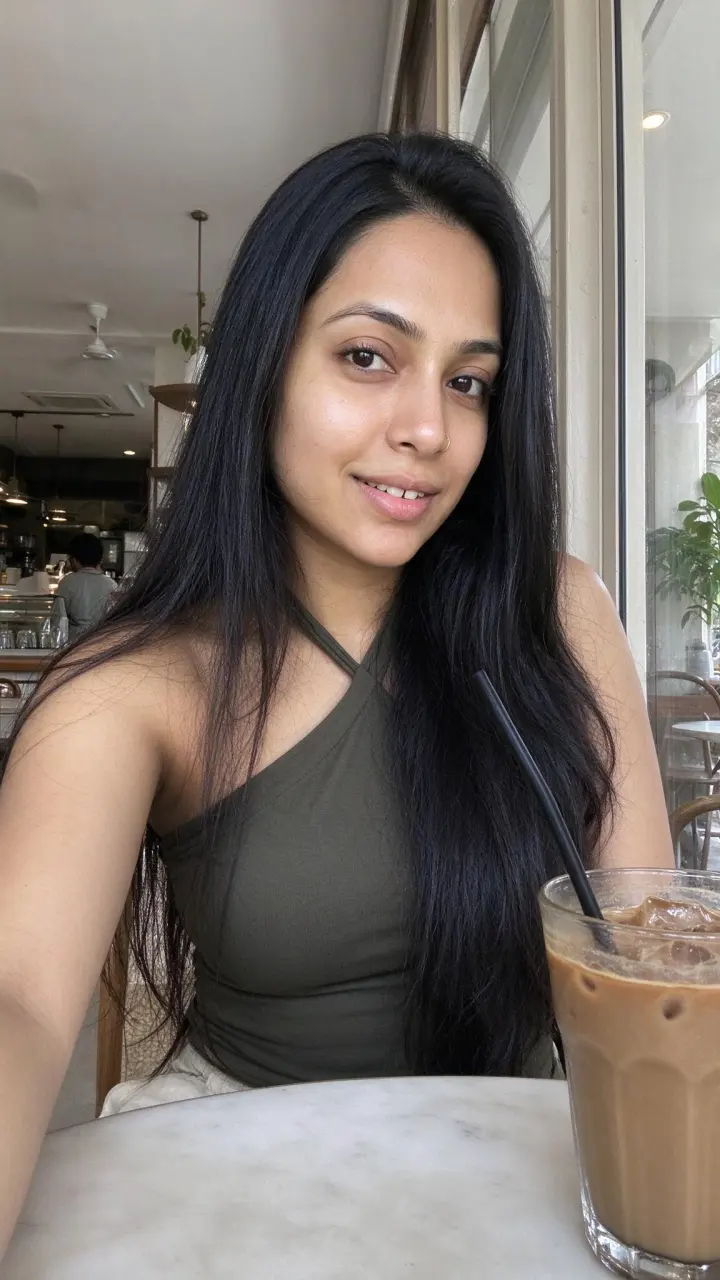
Cafe, iced coffee 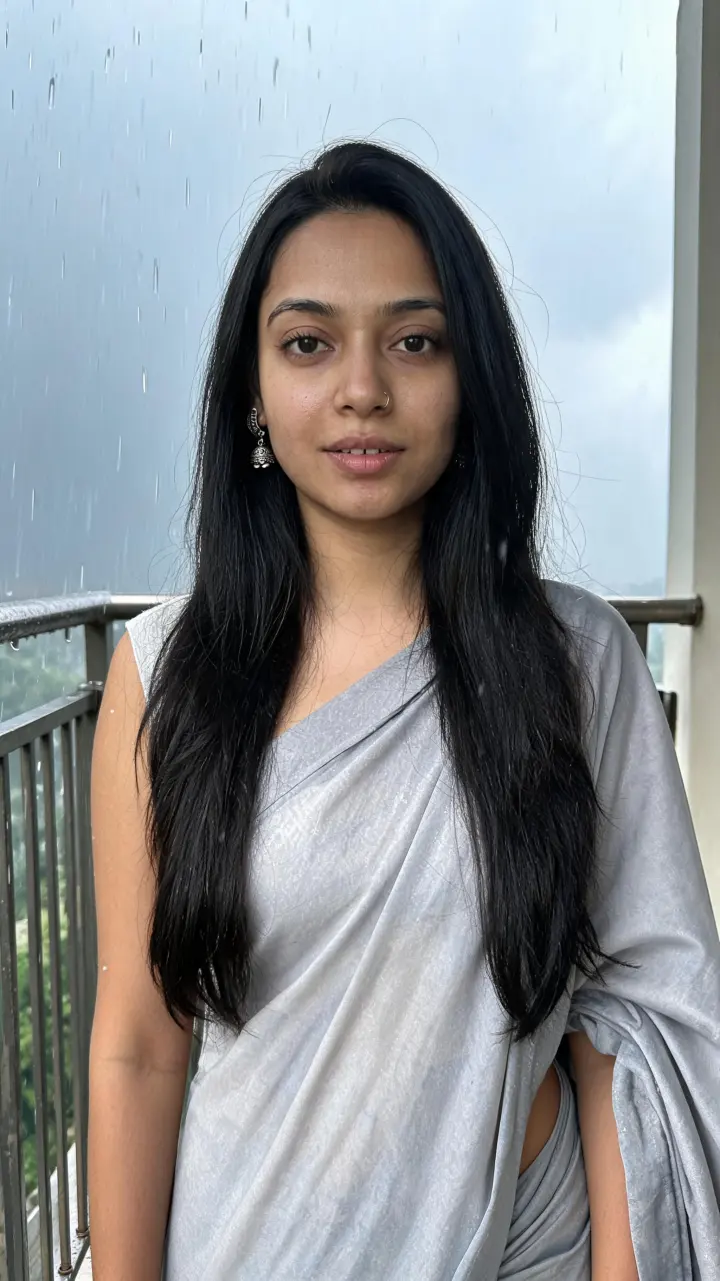
Monsoon saree on a balcony 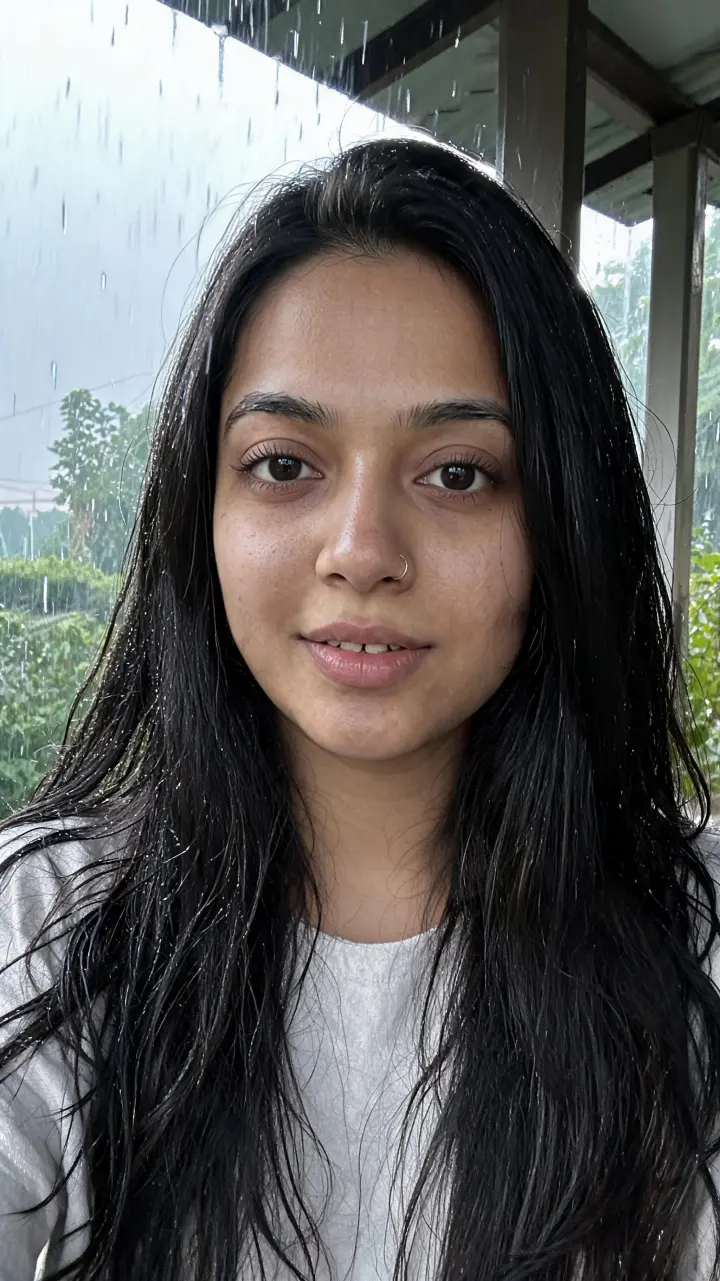
Rain selfie 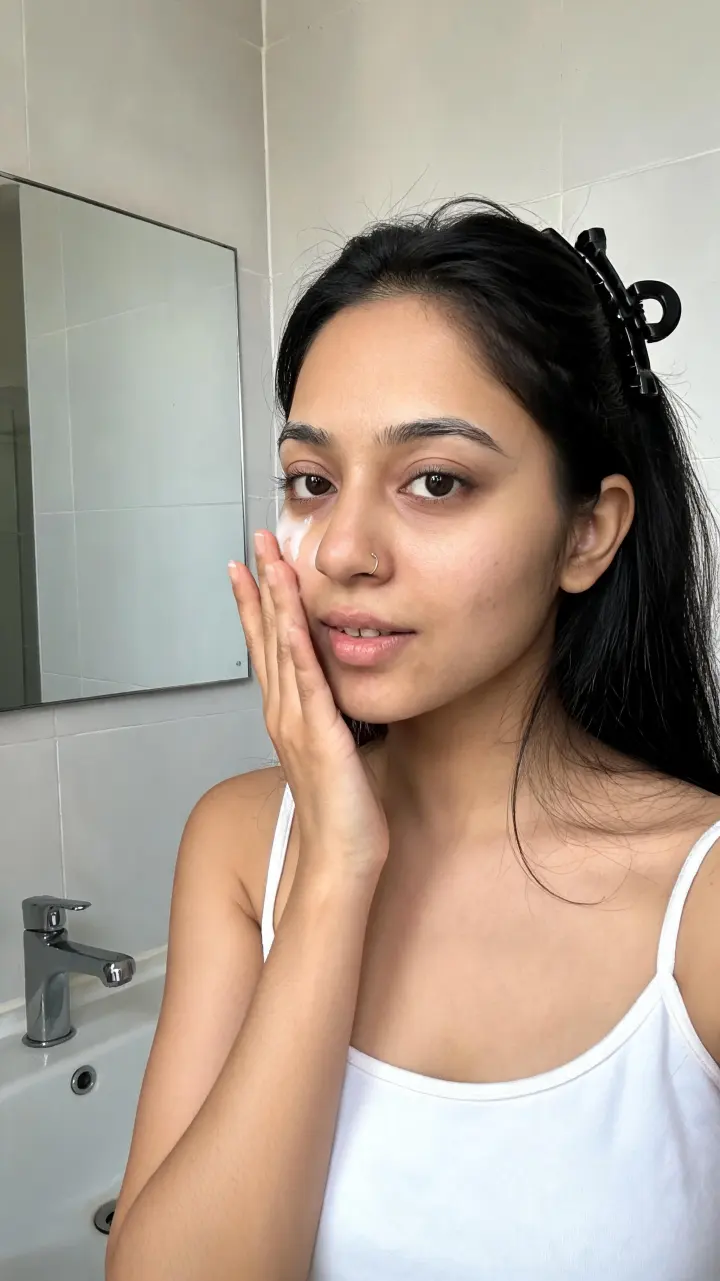
Skincare at the mirror 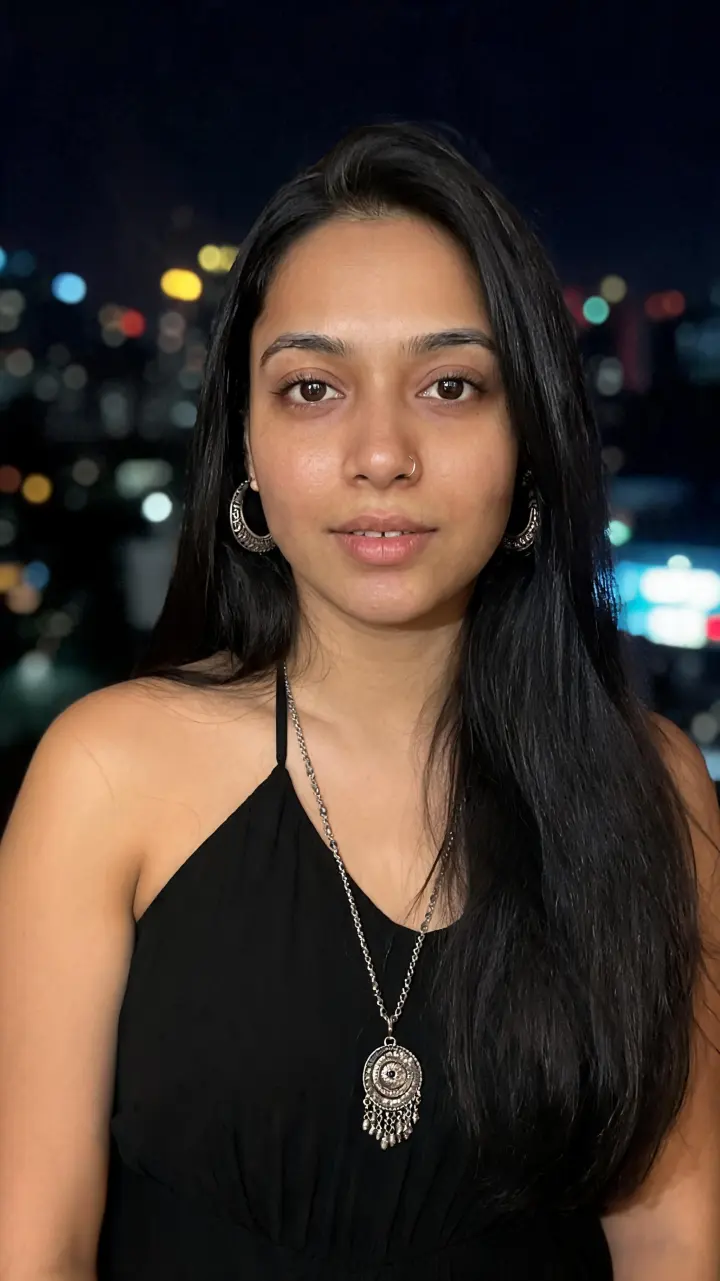
A night out 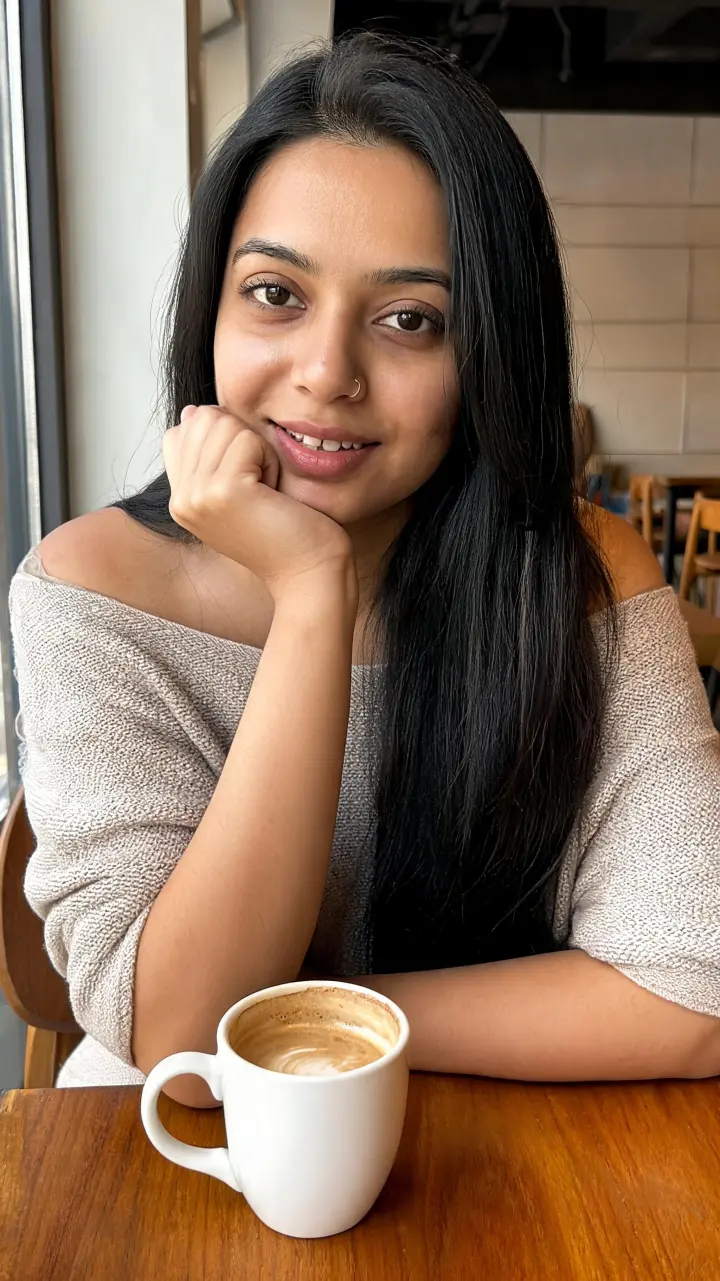
Coffee break 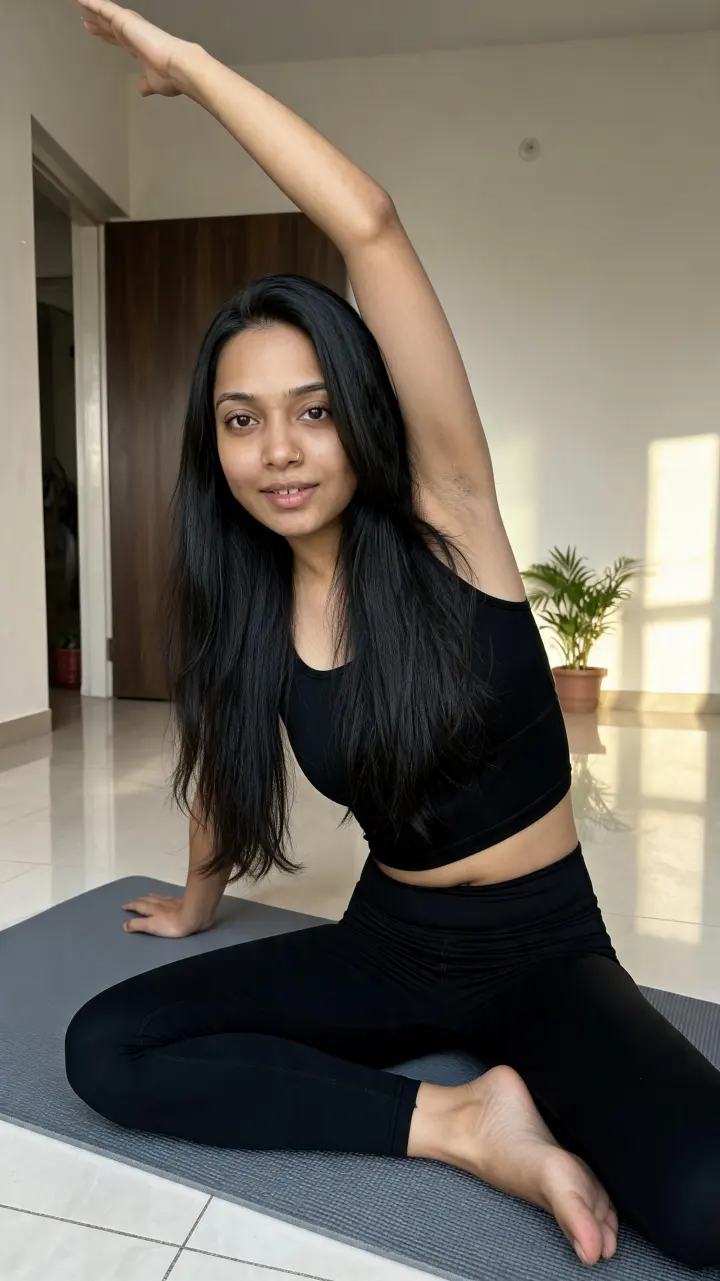
Yoga at home 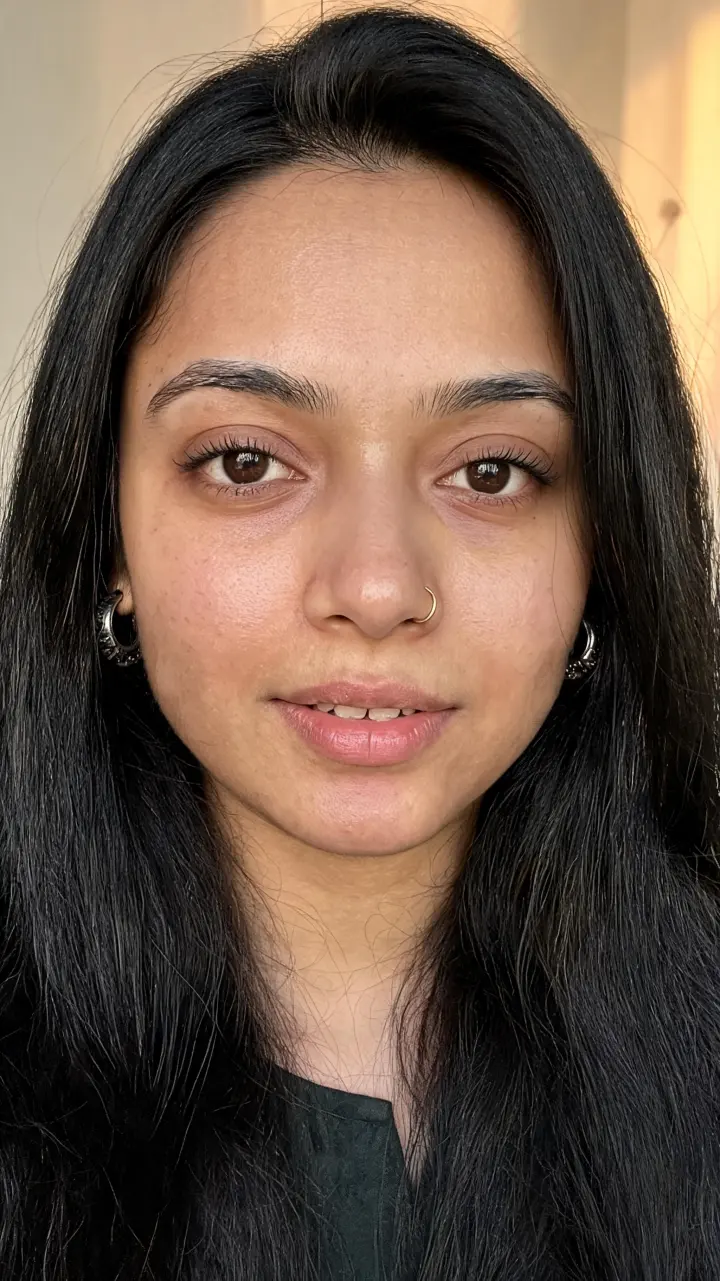
Close up
Look at the face, not the background: the shape of the eyes, the brows, the nose, the jaw and the way the hair falls. Those hold from the cafe to the rain to the city at night.
What a character is made of
A character in Sparebar is a saved set of things that are sent to the model together with your scene.
- Reference photos. Up to three clear photos of the same person, or a portrait generated from a description. This is what carries the face.
- A look profile. Gender, age range, skin tone, hair length, colour and style, features such as earrings or a nose pin, and everyday wardrobe. These fill the gaps a photo cannot, and they are repeated in every prompt.
- Extra angles. One button adds a three quarter and a full body shot of the same person. Close ups use the front shot, outfit shots use the full body one.
- Saved outfits. A name, a description and an optional photo, so the same jacket or saree can appear again later.
- Niche and tone of voice. These shape the captions Sparebar writes for the character.
Same character, four different products
Consistency matters most in ads, where a viewer decides in a second whether a person looks real. Here is Tara in four ads for four unrelated products: a serum, a water bottle, a coffee pouch and a lip tint. The product, scene, outfit and headline change every time. Her face does not.
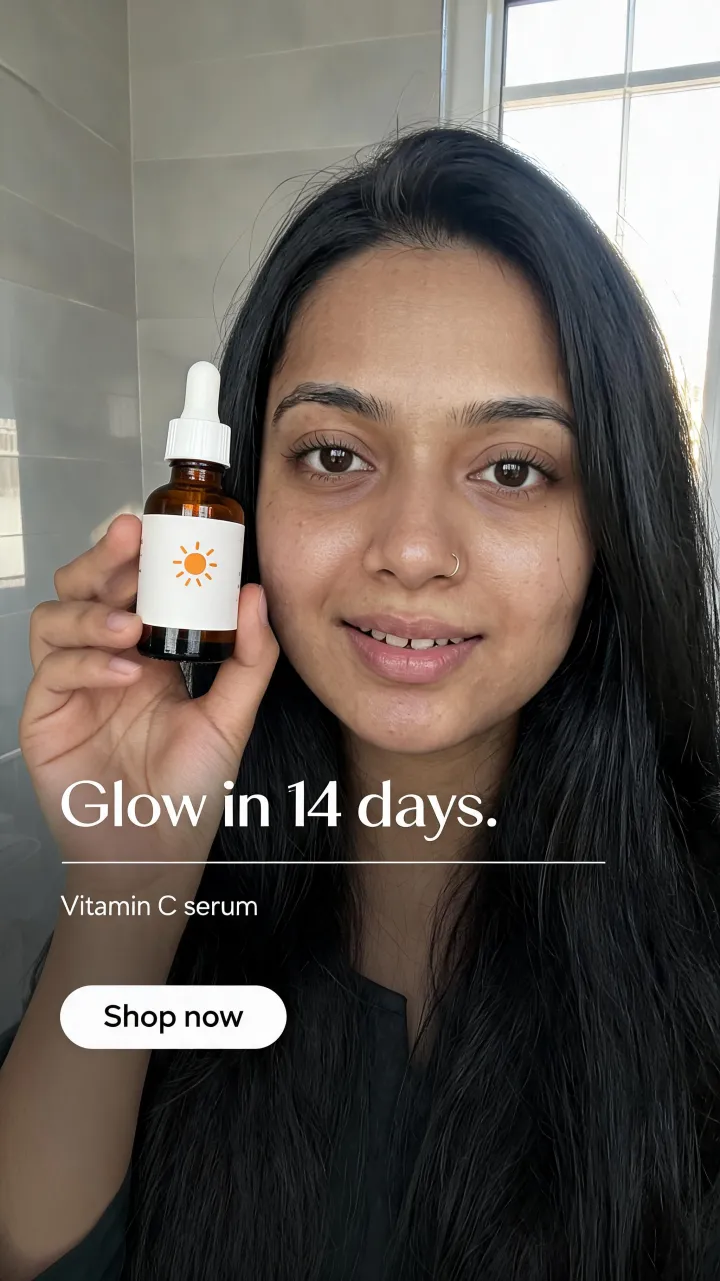
Serum ad, headline in the image 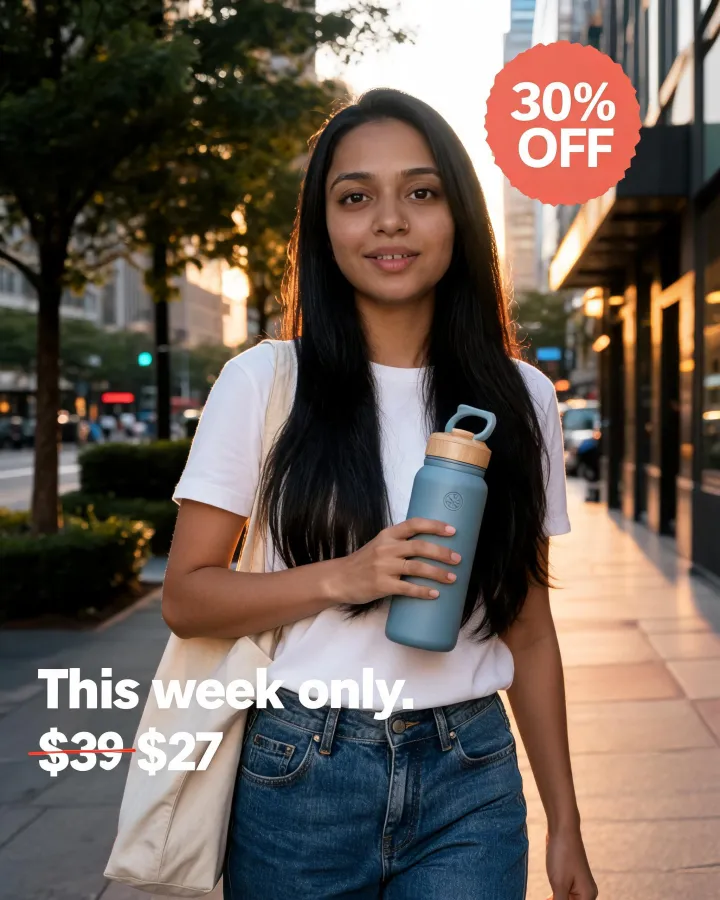
Offer ad, street at golden hour 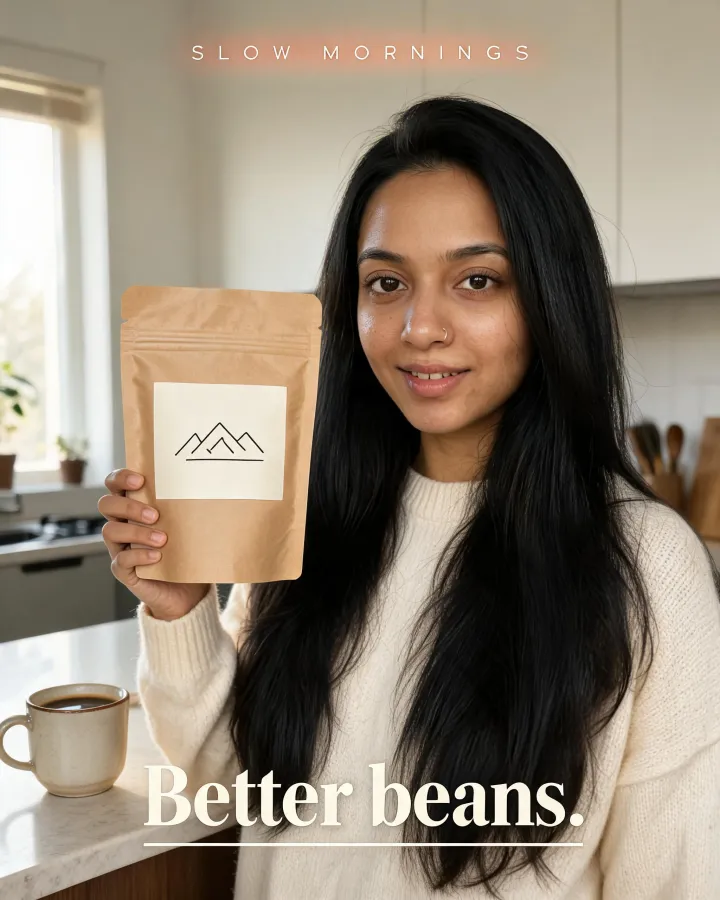
Editorial ad, kitchen morning light Video ad, she speaks to the camera
Read more about how these are made on the product ads page.
A second character, built the same way
Nothing here is special to Tara. Riya has wavy brown hair and a different face, and she holds together across a balcony, a cafe and a bedroom in the same way. You can keep as many characters as you like and switch between them in one click.
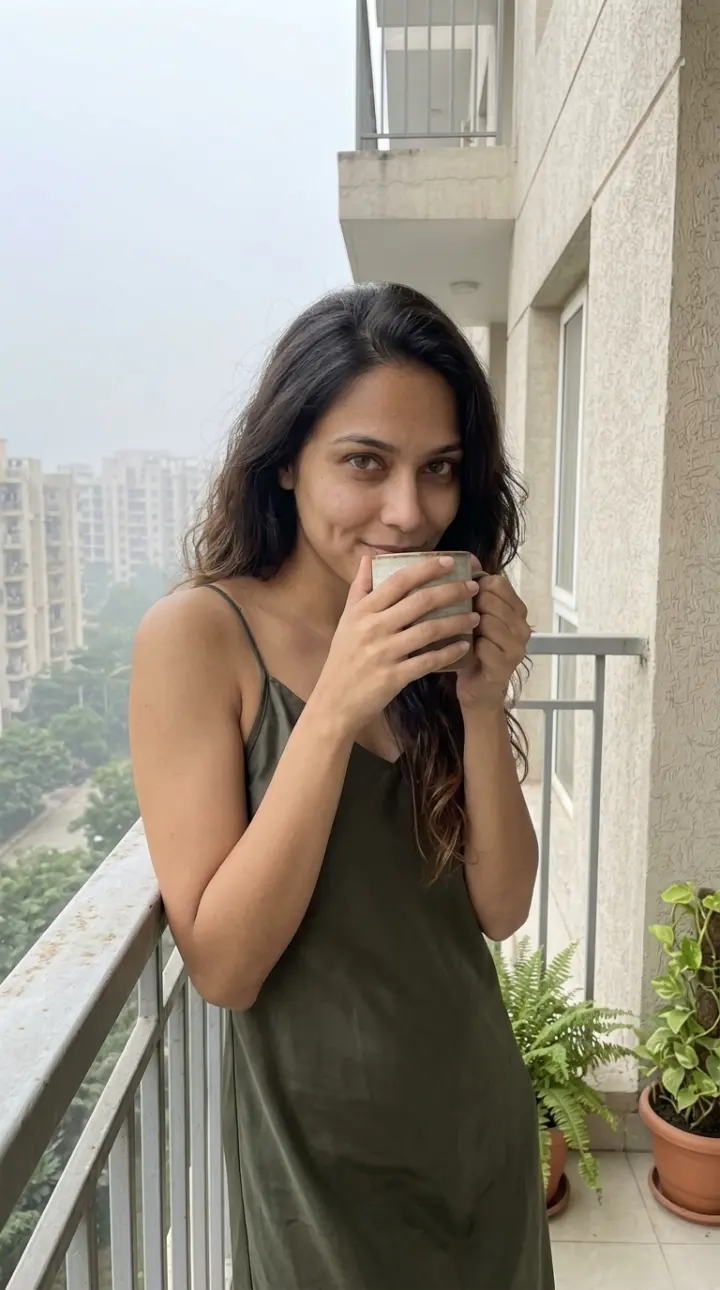
Balcony, morning tea 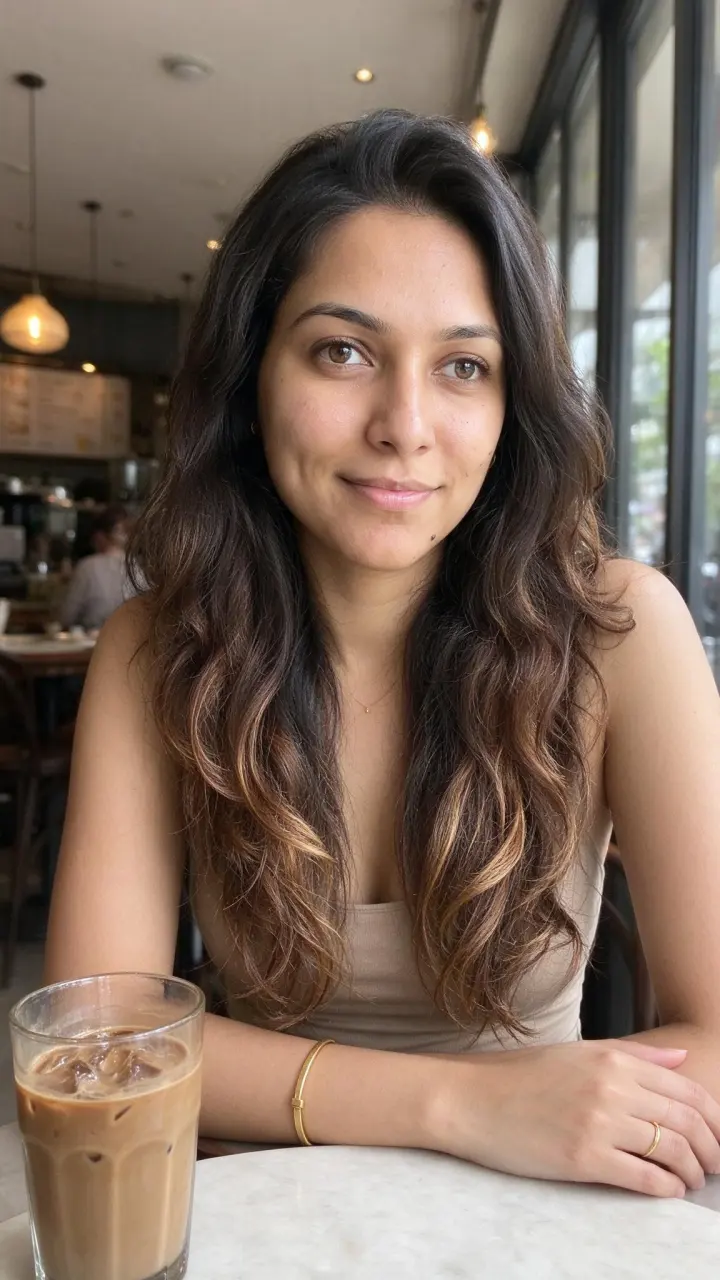
Cafe, cold coffee 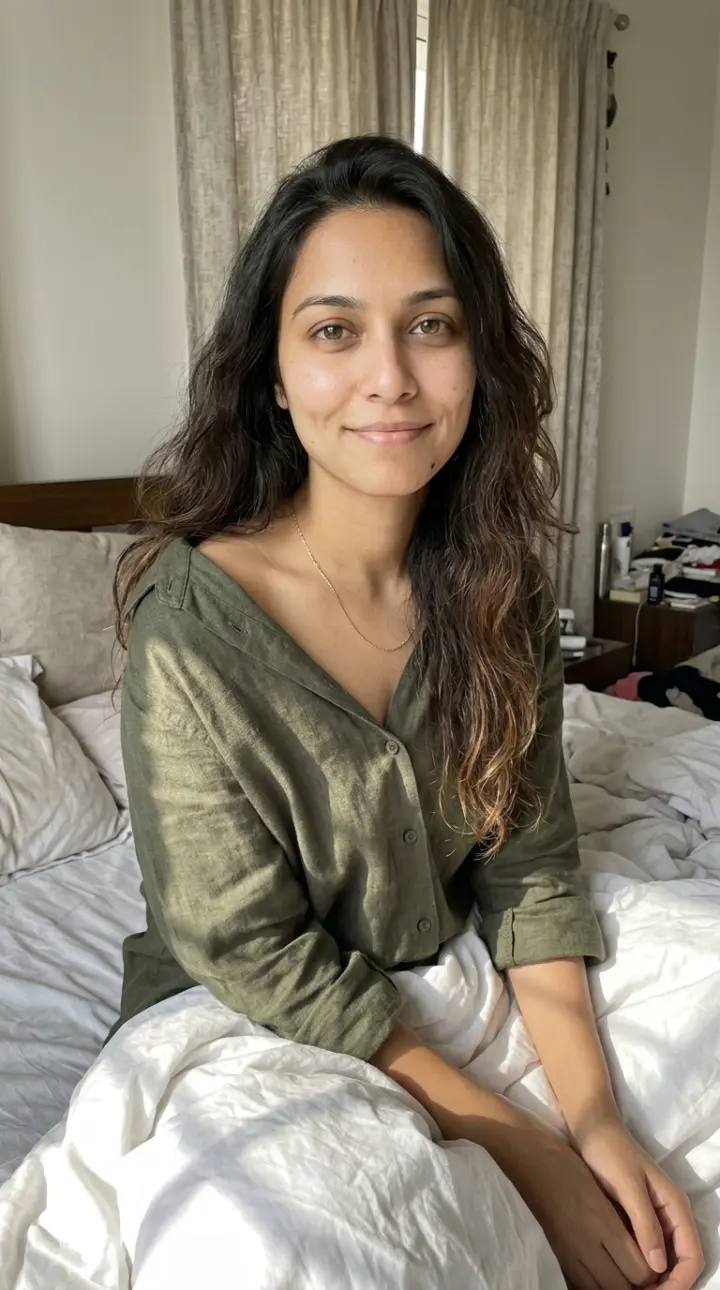
A slow morning
Different people, different looks
Meera and Kabir. A man and a woman, different ages and skin tones, from the same flow: describe, pick a portrait, save.
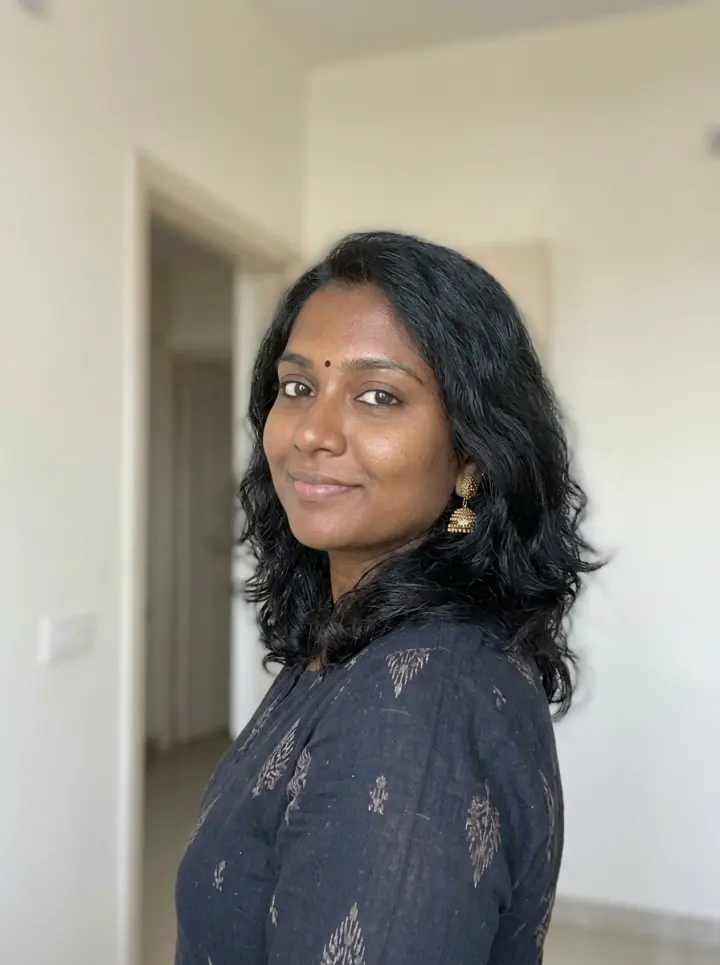
Meera 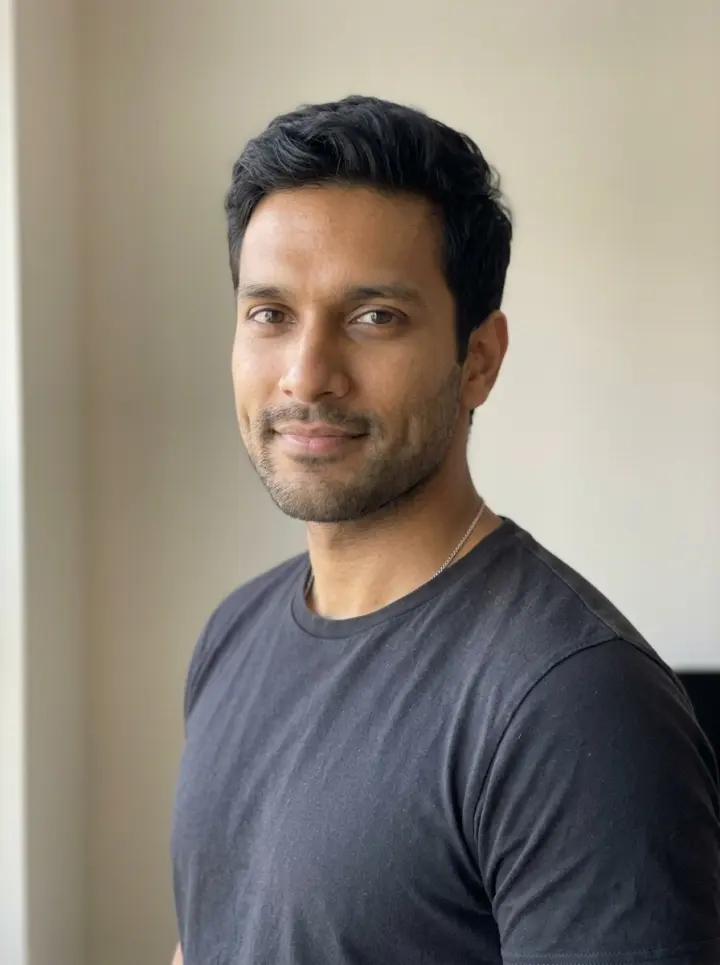
Kabir
Consistency in video
Video models that accept an image start from your character photo, so the person in the clip is the person in your library. For talking videos Sparebar makes the still first, in the same scene, and then animates it. That keeps the face and the setting steady from the first frame.
- Talking head tip: she speaks a line you type.
- Product pitch: she holds a saved product and talks about it.
- Day in my life: a short, moving moment from a routine.
What you can change without losing the face
This is the useful part. Almost everything about a shot is yours to change, and the character stays put.
- Scene and place: a cafe, a street, a bathroom, a balcony in the rain.
- Outfit: type it, or use a saved outfit.
- Product: pick a saved product with its photo and label.
- Photo or video, shape (9:16, 4:5, 1:1, 16:9), resolution and length.
- The model: a fast one for tests and a stronger one for the final.
- The words: the headline on an ad, or the line she says out loud.
Tips for better consistency
Faces stay very close, not pixel identical. Models differ, and a few simple habits help a lot.
- Use sharp, well lit photos that show the face from the front, then add the angles.
- Keep the scene description about the scene. Let the photos carry the face.
- Fill in the look profile. It repeats the details a photo cannot show.
- Use a stronger model for hero shots. Seedance 2.0, Veo 3.1 and Nano Banana Pro follow references closely.
- Close ups and busy scenes drift the most. If a run drifts, run it again, it is cheap, and your credits are refunded when a generation fails.
- Some video models refuse photos of real people. If one does, try another model.
Questions
- What is consistent character AI?
- It is AI generation that keeps the same character, with the same face, across many images or videos instead of inventing a new one each time.
- How many photos do I need?
- Sparebar accepts up to three photos per character. One clear photo works, and more angles help. You can also add side and full body shots from inside the app.
- Is the face exactly the same every time?
- It is very close, and it holds across scenes, outfits and products, but AI models are not pixel exact. Strong models, good reference photos and a filled in look profile get the best results, and you can re run a shot that drifts.
- Does it work for video too?
- Yes. Video models that accept an image start from your character photo, so the person in the clip matches. Talking videos make a matching still first and then animate it.
- Can I make a character without photos?
- Yes. Describe the person and Sparebar generates a portrait, or three to choose from, for a small credit cost, then saves it as the character.
- Can I keep the same outfit or product across shots?
- Yes. Save an outfit with a description or a photo, and save a product with its photo and label. Both are sent to the model with your scene.
Make the first one.
2 free credits. No card.
See every image and video model and the pricing.